
Data / Licensed data / Portfolio monitoring
Portfolio monitoring
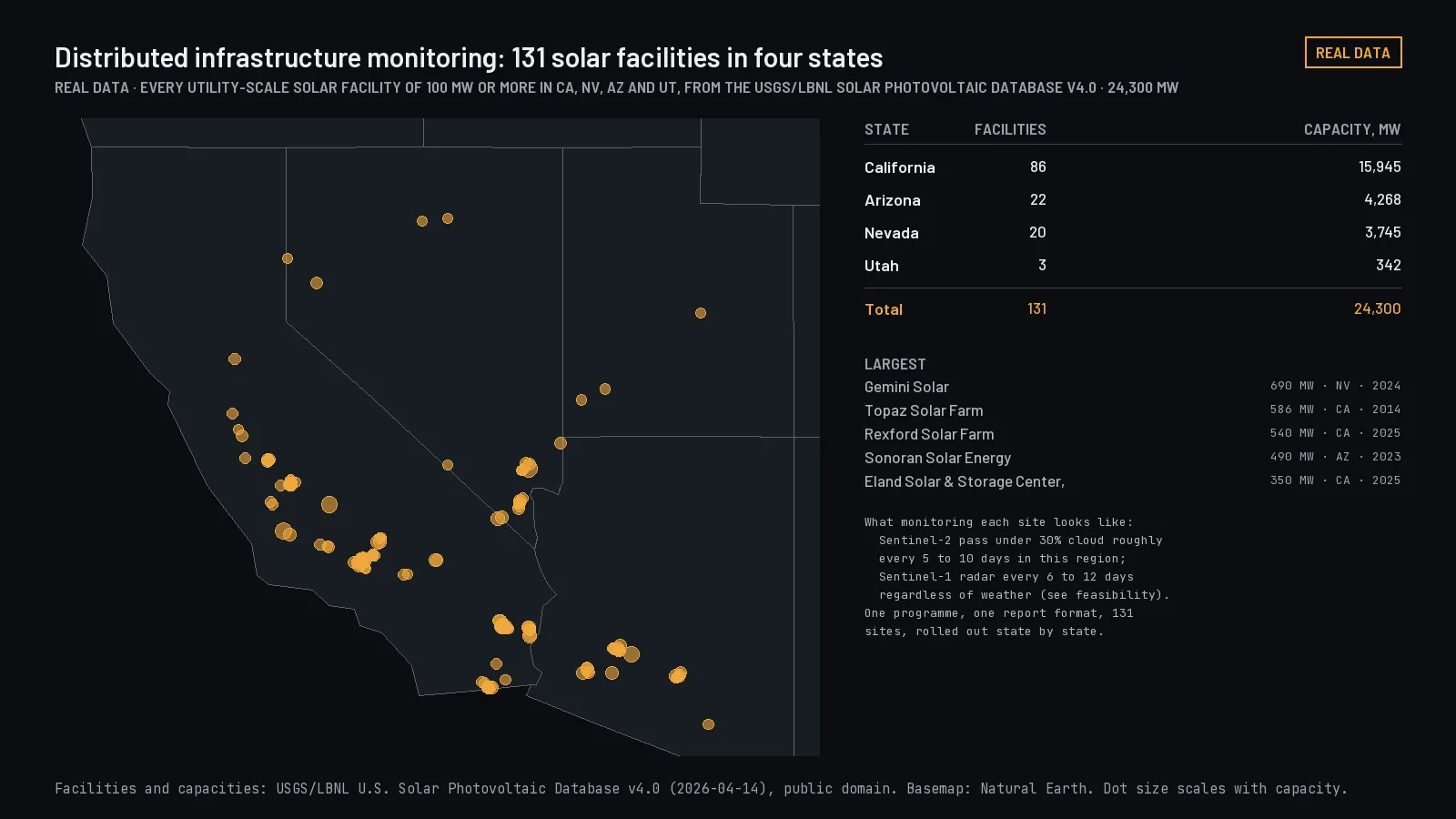
Your saved boundaries checked against every source update, with a before-and-after for each change and the source version on both sides.
Who it is for
Owners and operators of many sites: utilities, energy portfolios, infrastructure funds, and the firms that serve them.
What you get
Screening answers "what is here today." Monitoring answers "what changed since the baseline you saved," with the source version on both sides of the change. It is sold per portfolio with a site cap, so costs are predictable.
- What you get
- Your saved boundaries checked against every source update, with a before-and-after for each change
- Coverage
- Same as site screening
- Cadence
- Planned
- Delivery
- API
Works with ArcGIS and your other tools
| Tool | How the data arrives | Status |
|---|---|---|
| ArcGIS Pro | GeoPackage or file geodatabase of your saved boundaries, with a change table: what changed, the source version before and after, and the date | Delivered with each report |
| ArcGIS Online and Enterprise | GeoJSON or a zipped shapefile you add as a hosted layer; changes as a CSV table joined by site ID | Delivered with each report |
| QGIS and other desktop GIS | GeoPackage, GeoJSON or shapefile | Delivered with each report |
| Email for each change is not offered yet. | Planned | |
| Your own software | JSON through the API, with the same fields as the files | Next release |
| Live layer in ArcGIS or QGIS | A standard OGC API - Features service your GIS adds once, so saved sites and their changes refresh without re-importing | Planned |
Tell us which tools and formats your team uses in the request form, and each report is prepared that way. Site IDs, field names and coordinate systems can match your existing asset register.
Price
- Pricing
- Sold per portfolio with a site cap, so costs are predictable. We reply with a quote.
- Enterprise
- Single sign-on, invoices with net-30 terms, and a named contact are part of Enterprise.
Getting started
- Now
- Send us the request form and we reply with the scope, a sample and a quote. Tell us about your portfolio.
- Customer app
- Once your quote is agreed, your organization gets an account in the customer app, and you use the data through the API, the MCP server for AI assistants, or downloads.
- Sign in
- Sign in to the customer system.